
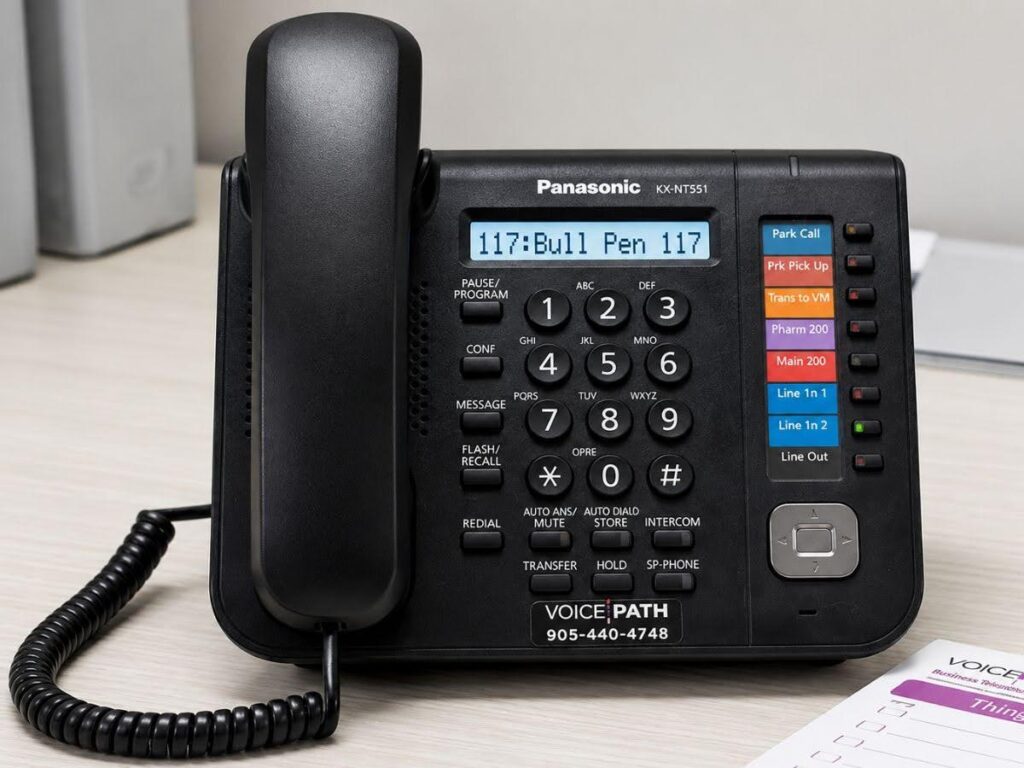
Panasonic Business Phone System Features Explained
A Panasonic business phone system is more than a communication tool. It supports daily operations by helping calls reach the right person, improving response times, and making it easier for employees to stay connected throughout the workday. Choosing the right solution can help create a smoother experience for both your team and your customers.
Good communication supports every part of a business. Whether handling customer inquiries, collaborating with coworkers, or managing multiple departments, reliable phone features help keep conversations organized. Modern systems also support changing work styles, allowing employees to communicate effectively from different devices without interrupting productivity.
Choosing the right communication partner is just as important as selecting the right technology. VoicePath Convergence Group provides professional guidance to help businesses identify communication solutions that fit their operational needs. With experienced support and industry knowledge, businesses can confidently implement solutions designed for dependable performance.
Why Business Communication Matters
Strong business communication helps keep daily operations running smoothly while creating positive experiences for customers and employees. Every call is an opportunity to answer questions, provide assistance, and build lasting relationships. When calls are managed efficiently, employees can focus on their responsibilities while customers receive timely and professional support.
A modern phone solution supports unified communications by bringing together voice services, voicemail, conferencing, call transfers, and remote connectivity within a single platform. According to recent business communication research published in 2024, businesses continue investing in unified communication technologies to improve collaboration and support flexible work environments, making dependable communication an essential part of long-term business success.
Understanding Business Communication Technology
Business communication has progressed beyond basic calling features. Modern communication platforms combine voice services, voicemail, conferencing, and remote access into one system, making daily operations more efficient. Employees can stay connected whether working in the office or remotely without switching between multiple tools.
Many businesses also appreciate the ability to use digital handsets alongside internet-based communication technology, allowing them to maintain familiar equipment while benefiting from improved flexibility, better collaboration, and dependable communication that supports changing workplace needs.
Essential Features That Support Daily Operations
A communication system should simplify daily tasks rather than create additional work. Several features contribute to a smoother experience for employees and customers alike.
Intelligent Call Routing
Incoming calls should quickly reach the appropriate department or employee. Intelligent routing helps direct callers based on menu selections, extension numbers, or predefined rules.
This approach reduces unnecessary transfers and allows callers to receive assistance more efficiently.
Auto Attendant
An auto attendant answers calls professionally without requiring every call to be handled manually.
Common menu options include:
- Sales
- Customer support
- Billing
- Technical assistance
- Employee directory
Providing these choices allows callers to reach the appropriate person while helping reception staff manage higher call volumes.
Voicemail to Email
Employees cannot always answer every call immediately. Voicemail-to-email sends recorded messages directly to an inbox, allowing important calls to be reviewed even when employees are away from their desks.
This feature supports timely follow-up while helping businesses remain responsive throughout the day.
Call Forwarding
Business communication often extends beyond a single office location or desk phone. Call forwarding ensures important conversations continue by directing calls to another extension or approved device whenever necessary.
Employees can remain available while attending meetings or working remotely without asking customers to call again later.
Conference Calling
Group discussions frequently require several participants. Built-in conference calling allows multiple people to join the same conversation without complicated setup procedures.
This feature supports project planning, customer meetings, and team collaboration while reducing communication delays.
Supporting Flexible Work Environments
Many employees now divide their time between office settings and remote work. Communication technology should support both environments without sacrificing reliability.
Softphone applications allow approved users to make and receive business calls using laptops, tablets, or smartphones. Calls appear professional because employees continue using their business numbers regardless of where they are working.
This flexibility helps maintain consistent customer service while supporting productivity across different work arrangements.
Better Visibility Through Call Reporting
Understanding communication activity helps managers make informed decisions. Reporting tools provide valuable information about call volume, response times, missed calls, and employee activity.
Reviewing this information can help identify trends, improve scheduling, and support better customer experiences. Instead of relying on assumptions, managers gain measurable insights into how communication is handled throughout the business.
Reliable Communication for Everyday Business Needs
Every business depends on dependable communication to support customers and employees. Features such as call routing, voicemail management, conferencing, remote connectivity, and reporting work together to simplify daily operations while improving collaboration.
Selecting a communication solution should focus on reliability, flexibility, and ease of use. When these elements work together, businesses are better prepared to manage conversations efficiently while supporting future communication needs.

Additional Features That Improve Productivity
A communication platform should do more than connect calls. It should help employees stay organized, respond quickly, and manage conversations with confidence throughout the day.
Call Recording
Call recording is valuable for reviewing customer conversations, supporting employee training, and maintaining accurate records. Supervisors can use recordings to identify opportunities for improvement and recognize successful communication techniques. Reviewing real conversations also helps teams maintain consistent service standards.
Mobile Connectivity
Business conversations do not always happen from a desk. Mobile connectivity allows employees to answer business calls using approved mobile devices while presenting the same professional contact information to customers. This creates a consistent communication experience regardless of where employees are working.
Call History
Access to recent call activity makes follow-up easier. Employees can quickly review incoming, outgoing, and missed calls without manually keeping records. This feature helps ensure important conversations are not overlooked and allows faster responses to customer inquiries.
User Management
As communication needs change, adding or adjusting user settings should be simple. User management tools allow administrators to assign extensions, update permissions, and manage employee access without unnecessary complexity. This flexibility supports changing staffing requirements while keeping communication organized.
When Your Current Phone Provider No Longer Meets Your Needs
Choosing a communication solution is not always about installing a brand-new system. Many businesses begin looking for alternatives because their current provider no longer delivers the level of service they expect. Whether you’re experiencing slow response times, confusing support processes, or limited flexibility, it may be the right time to review your options.
If your business currently relies on providers such as Bell, Rogers, or Telus, consider whether your communication solution still aligns with your daily needs. A provider should make it easy to receive support, answer your questions clearly, and recommend solutions that fit your business instead of offering a one-size-fits-all approach.
Before making a decision, ask yourself:
- Are service requests handled promptly?
- Is your communication solution meeting your team’s needs?
- Can your current system support remote and hybrid work?
- Do you understand the features you’re paying for?
- Would a provider that offers more personalized service be a better fit?
Reviewing these questions can help you determine whether it’s time to consider a communication partner that places greater emphasis on customer support and long-term relationships.
Common Mistakes to Avoid
Choosing a communication system without proper planning can create unnecessary challenges. Keeping these common mistakes in mind can help you make a more informed decision.
- Selecting features that employees rarely use
- Overlooking future growth requirements
- Ignoring mobile communication needs
- Choosing a system without reliable technical support
- Failing to train employees on available features
Careful planning helps maximize the value of your communication investment while supporting a smoother user experience.
Frequently Asked Questions (FAQ)
Useful features include auto attendant, voicemail management, conference calling, mobile connectivity, call reporting, call forwarding, and user management.
Yes. Mobile and desktop applications allow employees to answer business calls while maintaining a consistent professional presence.
Call reporting provides valuable information about communication activity, helping managers improve scheduling, monitor performance, and support customer service.
Yes. Training helps employees understand available features, improving productivity and encouraging consistent communication practices.
Conclusion
Choosing a Panasonic business phone system gives your business reliable communication tools that support daily operations, improve teamwork, and create better customer experiences. Taking time to understand the available features helps you select a solution that meets your current requirements while remaining flexible as your communication needs change.
A dependable business phone system should simplify everyday tasks through intelligent call routing, voicemail management, conferencing, reporting, and mobile connectivity, allowing employees to stay productive wherever they work. If you’re ready for a communication provider that offers personalized support and responsive service, VoicePath Convergence Group is ready to help.
Whether you’re replacing an existing provider or upgrading your current setup, choosing a trusted communication partner can make day-to-day operations smoother and help your business communicate with confidence.
