
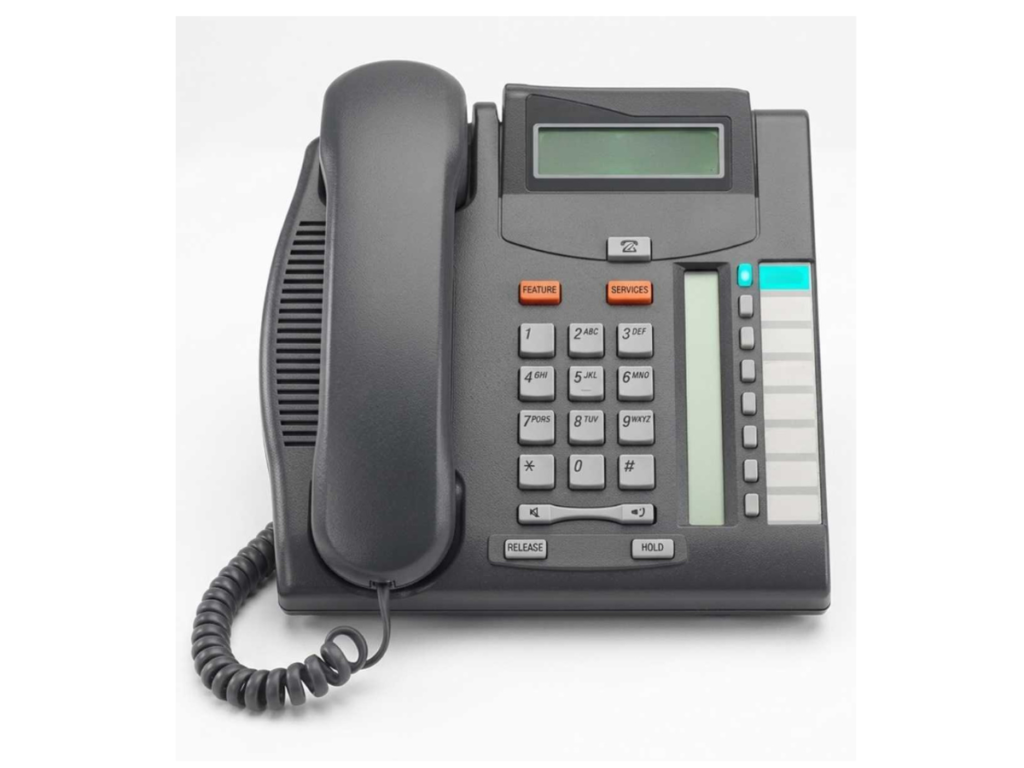
Nortel Networks Phones Manual You Should Know About
Finding the right Nortel Networks phones manual can save time and prevent costly mistakes. From setup instructions to troubleshooting tips, having access to accurate manuals ensures your system operates efficiently.
With VoicePath Convergence Group, managing your Nortel devices becomes easier and more reliable, giving your team confidence and reducing downtime. This guide highlights the essential Nortel phones manual resources you should know about, helping you manage legacy and current Nortel devices with ease.
Why Accessing the Correct Nortel Phones Manual Matters
Using the correct Nortel Networks phones manual ensures your devices are set up and configured properly, reducing downtime and avoiding costly mistakes. Many organizations still rely on legacy Nortel systems, such as BCM 50, Norstar, or Meridian phones. Without the proper manual, even simple tasks like programming voicemail, setting up conference calls, or configuring speed dials can become time-consuming and prone to errors.
Key benefits of using the correct manual include:
- Accurate setup and configuration guidance
- Step-by-step programming instructions for features like voicemail, call forwarding, and conferencing
- Troubleshooting and maintenance tips to resolve common issues
- Insights into utilizing all available phone features efficiently
How to Identify Your Nortel Phone Model
Knowing your phone model is key to accessing the correct Nortel Networks phones manual. Common models include:
- T7208 – Supports up to 8 lines, 8 memory buttons, a 16-character display, and a headset jack. Ideal for moderate call volumes or shared workstations.
- T7316E – Expandable multi-line phone with 24 memory buttons and menu-driven display. Perfect for high-volume positions like managers or executives.
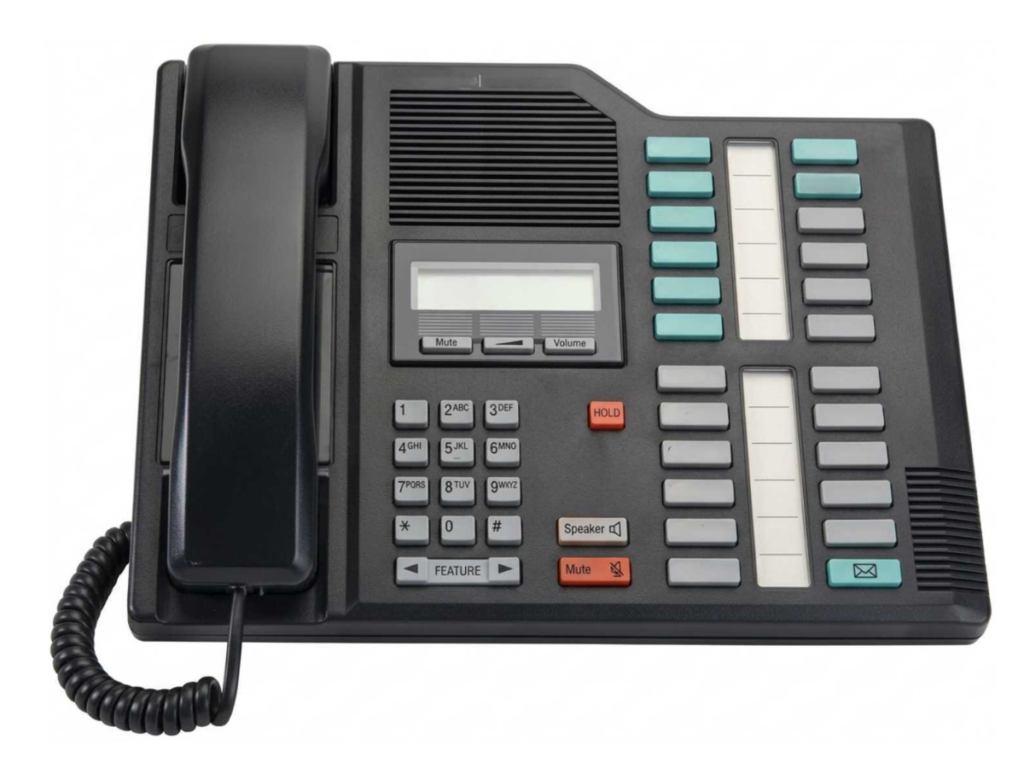
- M7310 – Full-featured phone with up to 10 lines for extensive call handling.
- M7324 – LCD shows date, time, and call info; designed for users needing advanced line and feature access.
Once identified, use the appropriate manual for setup, programming, and troubleshooting to keep your system running efficiently.
Where to Find Nortel Networks Phone Manuals
Finding authentic Nortel Networks phones manuals is essential for setting up, programming, and troubleshooting your devices correctly. Here are the most reliable sources:
Official Nortel Legacy Resources – Many legacy manuals for Norstar and BCM systems are still available online. These manuals provide accurate instructions for setup, feature programming, and troubleshooting.
Trusted Third-Party Repositories – Reputable sites archive Nortel phone manuals for different series, including Norstar, BCM, and T-series phones. These repositories often include downloadable manuals, quick-start guides, and detailed instructions for legacy systems.
Tip: Always verify the source before downloading a manual to ensure it is up-to-date and accurate. Using outdated manuals can lead to configuration errors, missed features, or security vulnerabilities in legacy systems.
Common Features Covered in Nortel Phone Manuals
Nortel Networks phone manuals provide clear instructions to help users set up, program, and troubleshoot their desk phones. Following these manuals ensures proper configuration and reduces downtime.
Setting Up Your Desk Phone
- Connect the handset and base properly
- Configure network connections for standard telephony (analog) or VoIP
- Activate speakerphone and headset functions
Programming Features
- Set speed dial and programmable keys for quick access
- Configure voicemail and message notifications
- Use conference call capabilities and call forwarding
Troubleshooting
- Resolve line errors or no dial tone issues
- Correct display or keypad problems
- Address connectivity issues on office phone systems
Maximizing Your Nortel Phone Efficiency
Optimize Call Handling
- Use speed dial and programmable keys to handle calls faster.
- Configure call forwarding and transfers to ensure important calls are never missed.
Maintain Phone Performance
- Follow manual instructions for regular maintenance and firmware checks.
- Keep handsets, keypads, and cords clean to prevent hardware issues.
Streamline Multi-Line Operations
- Set up multi-line operation for reception areas or departments.
- Utilize conference call features effectively to save time and reduce delays.
Enhance User Comfort
- Adjust ringer volume, display brightness, and headset settings for convenience.
- Enable speakerphone or hands-free mode for long calls.
Troubleshooting Made Simple
- Refer to the phone manual for error codes, display messages, or line issues.
- Follow step-by-step instructions for common connectivity, programming, or handset problems.
Troubleshooting Using Your Nortel Phone Manual
Step-by-step troubleshooting is often the main reason users refer to Nortel phone manuals. Common issues typically covered include:
- No dial tone or busy line – Verify that the handset and phone base are properly connected, and check all network or telephone cables for secure connections.
- Voicemail errors – Follow the voicemail setup and troubleshooting instructions in the manual, including password reset, mailbox configuration, and notification settings.
- Feature programming issues – Review step-by-step guidance for programming speed dial, call forwarding, and conference call functions, ensuring each step is followed correctly.
Frequently Asked Questions
The model number is usually printed on the back or underside of the phone. The corresponding manual can be located from verified telecom manual resources to ensure correct setup and feature programming.
Nortel phone manuals are available from trusted online archives or telecom support websites. Always verify that the manual matches the exact phone model to avoid incorrect instructions.
The programming section of the model-specific manual provides step-by-step instructions for features such as speed dial, voicemail, call forwarding, and conference calls.
Online manuals provide detailed instructions to resolve common issues, including line errors, voicemail problems, and feature programming, reducing downtime.
Some legacy manuals include information about firmware and security updates. Check the publication date to ensure the manual contains the latest instructions.
Certain manuals include guidance for hybrid setups, allowing legacy Nortel phones to integrate with modern VoIP systems while maintaining essential functions.
Take Control of Your Phone System Today
Accessing the correct Nortel phones manual ensures smooth operation, reduces downtime, and helps teams make the most of the system. Expert guidance and available resources can assist in locating, using, and troubleshooting devices efficiently.
Ready to simplify your Nortel phone management? Visit VoicePath Convergence Group to access manuals and expert support today.
