
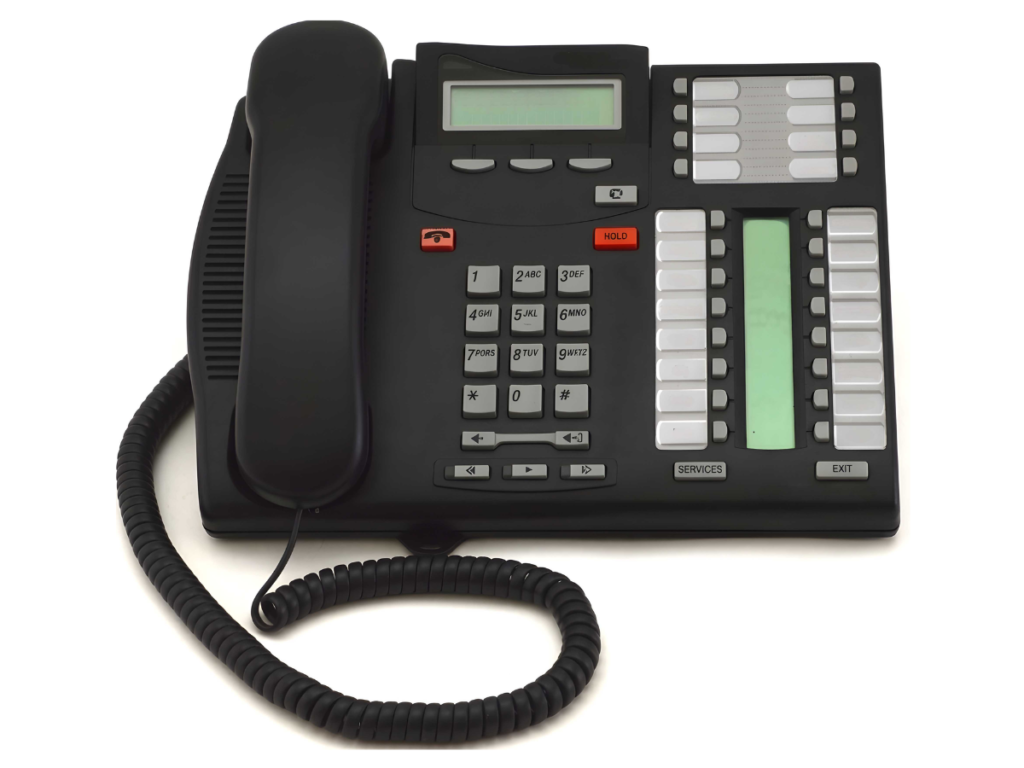
How to Keep Nortel Network Phones Working in Modern Offices
Maintaining Nortel network phones in today’s office environment can be a challenge. With technology evolving rapidly, keeping these legacy systems functional requires practical strategies, compatibility insights, and the right support.
When properly maintained, these systems can continue delivering reliable performance and seamless communication for years. This guide shows how offices can continue using Nortel phones efficiently without compromising modern workflows. For expert assistance, VoicePath Convergence Group provides guidance and support to ensure smooth operations.
Step 1: Understand Your Nortel Phone Systems
Why Nortel Phones Are Still Relevant
Even though newer communication technologies like VoIP have become widespread, many offices still rely on Nortel network phones because of their proven reliability and strong support ecosystem. Nortel phones were designed for business‑grade voice communications, and many organizations continue to maintain them rather than replace entire systems.
Here’s why they remain practical in modern office environments:
- Proven Voice Quality and Reliability: Nortel phones deliver consistent, business‑ready voice performance, which is why many companies continue to keep them in active use rather than incur replacement costs.
- Durability for Office Use: Built for heavy everyday use, these phones stand up well under continuous operation. This durability reduces the need for frequent replacements.
- Compatibility with Maintenance and Support: Service providers offer support for legacy phone systems alongside modern solutions, providing repairs, parts inventory, and integration options (e.g., connecting to VoIP or SIP systems) without requiring full replacements.
- Familiarity for Staff: Many teams already trained on Nortel systems don’t require extensive retraining when the equipment continues in service. This continuity reduces disruption and helps maintain productivity.
These strengths make Nortel network phones a viable option for offices that prioritize ongoing performance and practical integration with modern technologies, especially when supported by maintenance specialists familiar with both legacy and current communication systems.
Step 2: Check System Compatibility
Legacy Phone Systems vs Modern VoIP
Many offices still use legacy Nortel phone systems, and keeping Nortel network phones working in modern offices requires checking system compatibility before making any changes. In many situations, businesses can continue using their existing phones while updating their communication services rather than replacing all hardware.
To keep Nortel phones working properly, it is important to verify the following:
- Connection type: Determine how the Nortel phones are connected within the office phone system.
- SIP or VoIP compatibility: Some legacy phone systems can work with modern communication services through SIP trunking or hosted VoIP solutions.
- Network infrastructure: Internet-based phone services require stable internet connectivity and properly configured network cabling to maintain call quality.
Many businesses maintain their existing Nortel phones while upgrading to newer communication services such as hosted phone systems or SIP trunking. This allows offices to continue using their current phones while improving flexibility and communication features without replacing every device.
Before upgrading or integrating new services, offices should review their current phone system setup, internet connection, and communication needs to ensure compatibility between legacy Nortel phones and modern office communication technology.
Step 3: Maintain Your Hardware
Regular Maintenance and Inspections
Maintaining Nortel network phones is important to keep office communication systems running reliably. Over time, telephone equipment can experience wear, connection issues, or component failures, which is why regular maintenance and inspections are recommended for business phone systems.
Businesses should regularly check:
- Phone handsets and buttons for wear or damage
- Telephone wiring and connections
- Power supply and backup power systems
- System performance and call quality
Regular inspections help identify small issues before they become larger system failures.
Step 4: Modernize Without Replacing
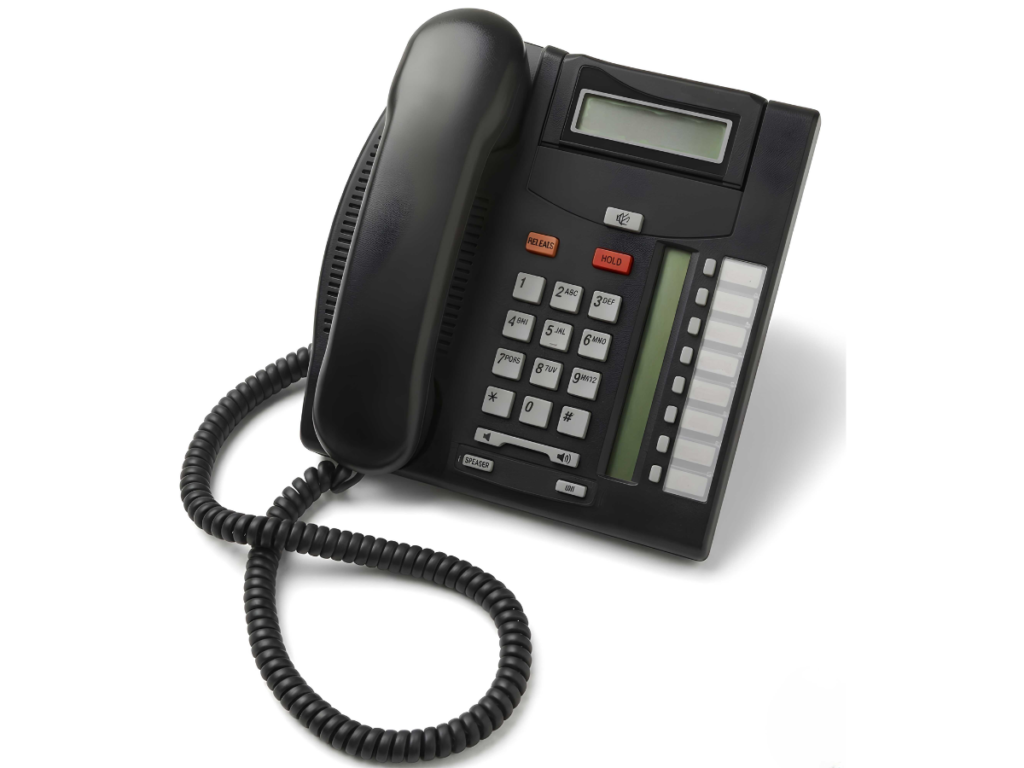
Many businesses believe they must replace all their equipment to modernize their phone systems, but this is not always necessary. Offices using Nortel network phones can often continue using their existing phones while adding newer communication services and features. This approach allows businesses to improve their communication systems while avoiding the cost and disruption of replacing all equipment at once.
Use Hybrid Phone Systems
One modernization approach is using communication systems that support both older Nortel phones and newer IP phones at the same time. This allows businesses to continue using their current phones while gradually adding newer devices and features when needed.
This type of setup helps businesses:
- Keep existing Nortel phones
- Add newer phones when needed
- Access newer communication features
- Upgrade systems gradually instead of replacing everything at once
This approach is practical for offices that want to maintain their current equipment while slowly transitioning to newer communication technology.
Add SIP Lines or Hosted Phone Services
Another way to modernize without replacing phones is by using SIP lines or hosted telephone services. These services allow businesses to use internet-based phone service while continuing to use their existing office phones.
This means businesses can update how their phone service works without immediately replacing all their desk phones. Over time, companies can upgrade equipment gradually while still maintaining daily communication operations.
Hosted telephone systems are also an option, where the phone system is managed through the internet rather than relying entirely on equipment located in the office. These systems typically require a reliable internet connection and proper network setup to maintain call quality.
Remote Phones and Modern Features
Modern communication systems can also support remote phones and off-site users. This is useful for businesses with multiple locations, remote employees, or hybrid work environments. Offices can continue using their existing Nortel phones in the main office while supporting remote communication through newer systems and services.
Staff Training and System Support
When new communication features or services are introduced, staff training and technical support help ensure employees understand how to use the phone system efficiently. Proper support and training help businesses transition smoothly when adding new communication features while continuing to use existing phones.
Step 5: Protect Against Obsolescence
Backup Plans
Legacy systems can become harder to maintain over time, so planning is important. Offices using Nortel network phones should:
- Document system settings and configurations
- Keep spare phones or replacement parts
- Schedule regular maintenance
- Plan gradual upgrades when needed
Use Replacement Parts and Refurbished Equipment
Refurbished phones and replacement parts can help extend the life of existing systems, allowing businesses to continue using their current equipment without full replacement.
Monitor System Performance
Regularly check call quality, system reliability, and user feedback. This helps identify issues early and plan upgrades before problems affect daily operations.
Step 6: Local Support Matters
For businesses in Whitby, ON, access to local support helps keep Nortel network phones running reliably.
Support may include:
- On-site troubleshooting and technical assistance
- Phone repairs and replacement parts
- System maintenance and servicing
- Moves, adds, and changes to phone systems
Having local expertise reduces downtime and ensures existing Nortel phones continue to operate effectively in daily business operations.
Frequently Asked Questions
Legacy Nortel phones connect to modern networks using SIP lines or hosted phone services, allowing older phones to function alongside newer IP systems.
Not all Nortel models support updates. Compatibility depends on the specific model; device documentation or a qualified technician should be consulted.
Regular maintenance is recommended, including checking cables and connectors, cleaning keypads and displays, and replacing parts as needed to prevent failures.
Using SIP adapters, keeping spare parts available, and relying on local support can extend the lifespan of Nortel phones without full system replacement.
With proper network setup, SIP lines, or hosted phone services, Nortel phones operate in hybrid or remote office environments while maintaining functionality.
Ensuring Long-Term Functionality
Keeping Nortel phones working in modern environments doesn’t require a full system replacement. With proper maintenance, compatibility checks, and integration strategies, offices can extend the life of existing devices.
For local support, system audits, and on-site servicing, contact VoicePath Convergence Group today to schedule a consultation and keep office communications running smoothly.
